


The Material Receives – Production report provides details of materials received from production within a selected date range. It helps users review received quantities, items, warehouses, and related production receipt information.
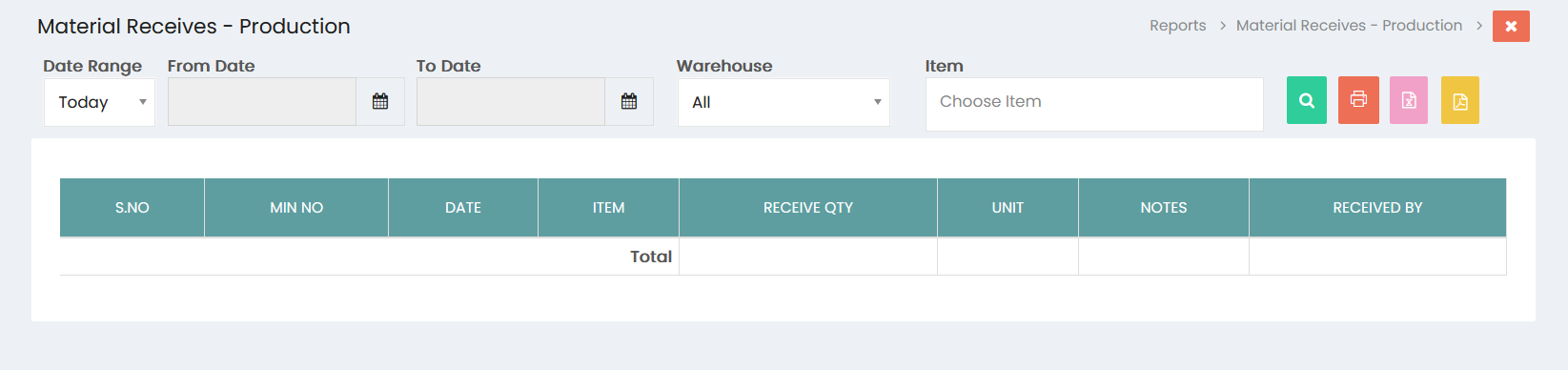
Filters
- Date Range – Select the required date range for the report. The default option is Today.
- From Date – Select the starting date for the report.
- To Date – Select the ending date for the report.
- Warehouse – Select a warehouse to view material receipts for a specific warehouse. The default option is All.
- Item – Select an item to view material receipts for a specific item.
Search
Click the Search button to display the material receipt details based on the selected filters.
Report Details
The report displays the following information:
- S.No – Serial number of the material receipt entry.
- MIN No – Material Issue Note number associated with the material receipt.
- Date – Date on which the material was received.
- Item – Item received from production.
- Receive Qty – Quantity of material received.
- Unit – Unit of measurement for the received item.
- Notes – Additional notes related to the material receipt.
- Received By – User who received the material.
The Total row displays the total received quantity for the selected report.
Export and Print
- Click the Print button to print the displayed report.
- Click the Excel button to export the report to Excel.
- Click the PDF button to export the report as a PDF.