


Overview
The Serial No Wise Stock report is used to view stock details based on individual serial numbers. It helps users identify products that are tracked using serial numbers and view the serial numbers associated with each product.
Serial No Wise Stock Filters
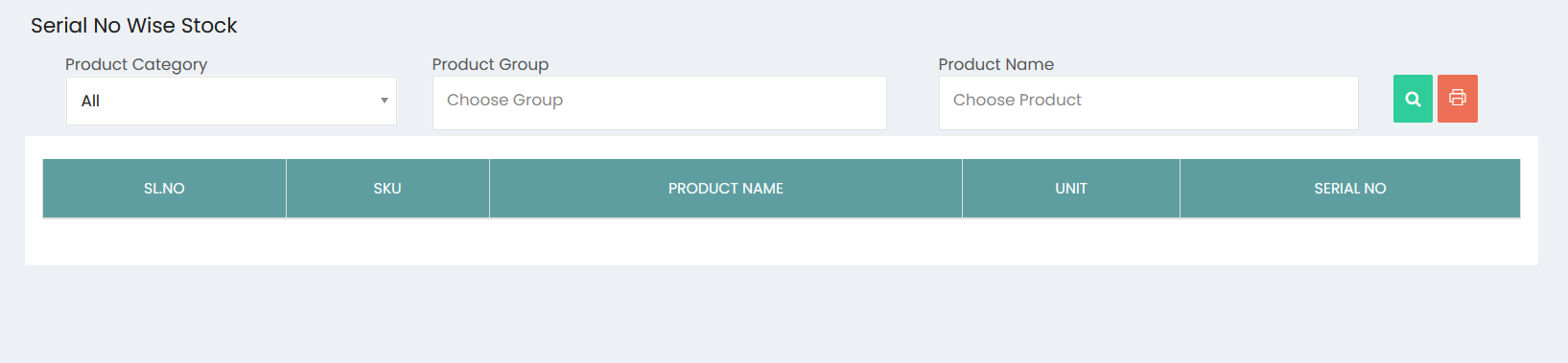
The report can be filtered using the following options:
- Product Category – Select a specific product category or choose All to include products from all categories.
- Product Group – Select a product group to narrow down the stock records.
- Product Name – Select a specific product to view its serial number details.
Click the Search button to generate the report based on the selected filters.
Serial No Wise Stock Details
The report displays the following information:
- SL.NO – Serial number of the report entry.
- SKU – Stock Keeping Unit associated with the product.
- Product Name – Name of the product.
- Unit – Unit of measurement for the product.
- Serial No – Individual serial number assigned to the product.
Serial Number Tracking
The report provides a product-wise view of serial numbers, allowing each serial-numbered item to be identified individually. It supports tracking of products based on their unique serial numbers.
Print Option
The Print option can be used to print the Serial No Wise Stock report based on the selected filters.