


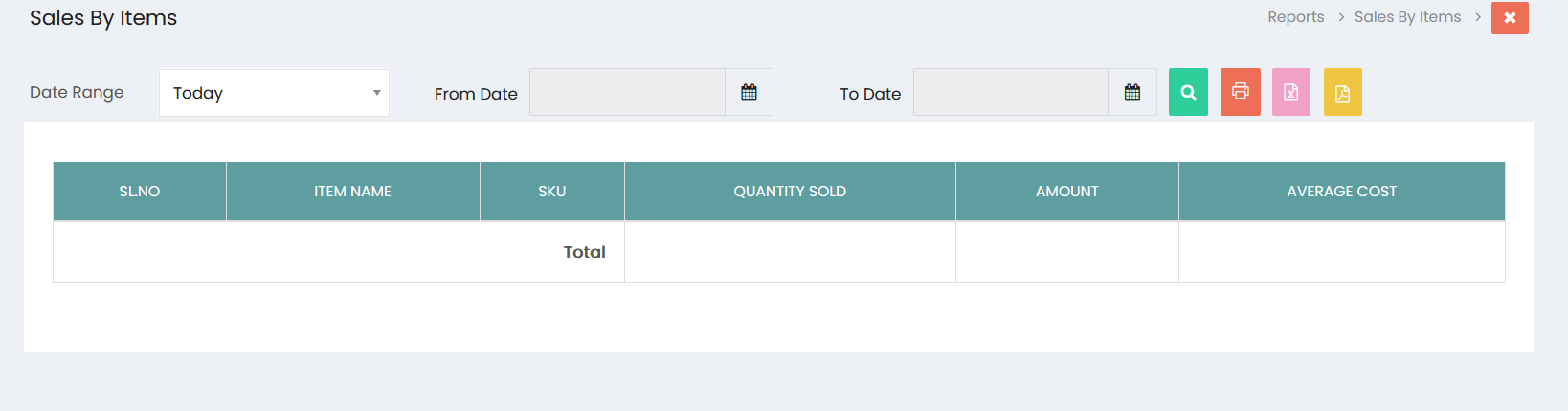
The Sales By Item report provides a summary of items sold within a selected date range. It helps users review the quantity sold, sales amount, and average cost for each item.
Filters
- Date Range: Select the required date range, such as Today, to filter the sales records.
- From Date: Select the starting date for the report.
- To Date: Select the ending date for the report.
- Click the Search button to display the item-wise sales information based on the selected date range.
Sales By Item List
The report displays item-wise sales information with the following details:
- SL.NO: Displays the serial number of the item.
- ITEM NAME: Displays the name of the item sold.
- SKU: Displays the Stock Keeping Unit of the item.
- QUANTITY SOLD: Displays the total quantity of the item sold.
- AMOUNT: Displays the total sales amount for the item.
- AVERAGE COST: Displays the average cost of the item.
- Total: Displays the overall totals for the reported items.
Export and Print Options
The report provides options to export or print the sales information:
- Print: Prints the Sales By Item report.
- Excel: Exports the report in Excel format.
- PDF: Exports the report in PDF format.