


The Sales Orders report provides a summary of sales orders recorded in the system. It allows users to view sales orders based on a selected date range and customer.
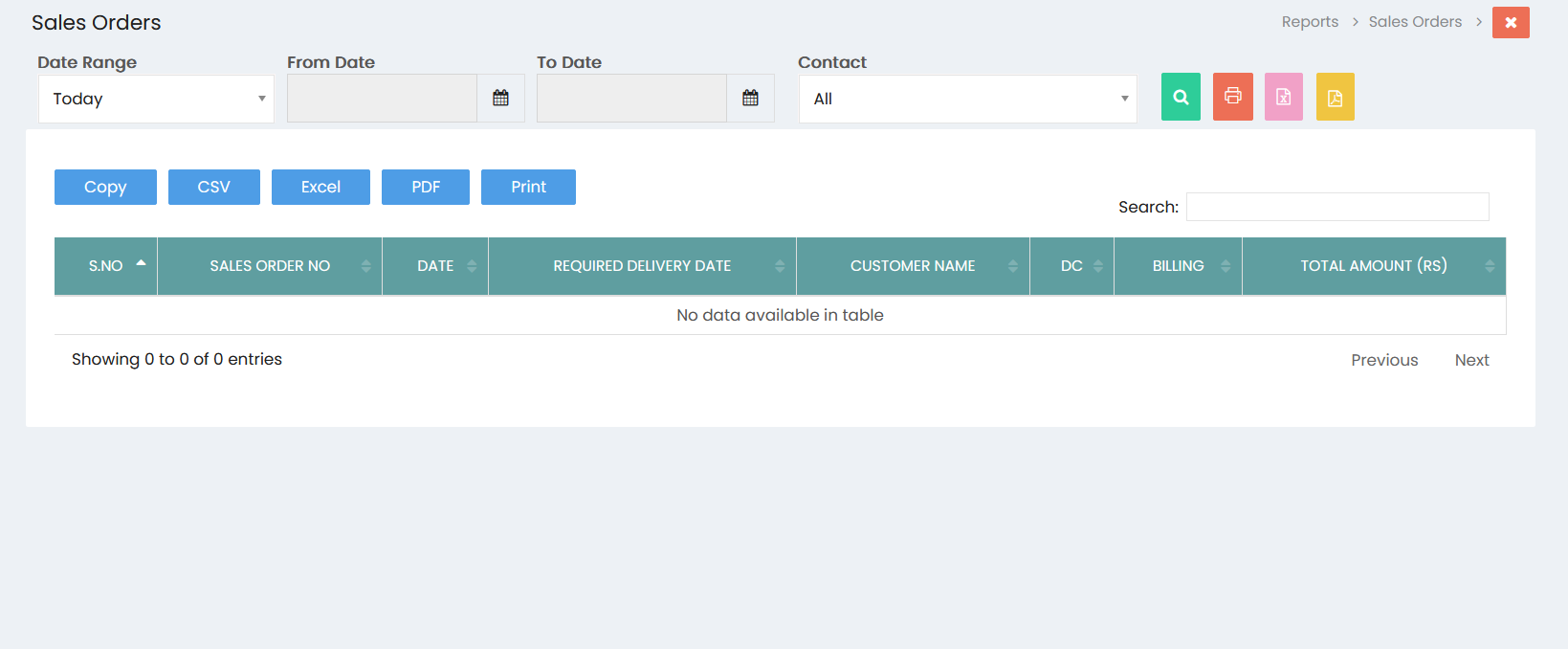
Filters
- Date Range: Select the required date range, such as Today, to filter sales orders.
- From Date: Select the starting date for the report.
- To Date: Select the ending date for the report.
- Contact: Select a specific customer or choose All to view sales orders for all customers.
- Click the Search button to display the sales orders based on the selected filters.
Sales Orders List
The sales orders are displayed in a table with the following details:
- S.No: Displays the serial number of the sales order.
- Sales Order No: Displays the sales order number.
- Date: Displays the sales order date.
- Required Delivery Date: Displays the required delivery date.
- Customer Name: Displays the customer associated with the sales order.
- DC: Displays the delivery challan status or details related to the sales order.
- Billing: Displays the billing status or details related to the sales order.
- Total Amount (Rs): Displays the total value of the sales order in Indian Rupees.
Export and Print Options
The report provides the following options:
- Copy: Copies the displayed sales order data.
- CSV: Exports the sales order data in CSV format.
- Excel: Exports the sales order data in Excel format.
- PDF: Exports the sales order data in PDF format.
- Print: Prints the sales order report.
Search
Use the Search field to quickly find a specific sales order or customer from the displayed records.
Pagination
The pagination section displays the number of sales orders available and provides Previous and Next options to navigate between pages.