


Overview
The Inventory Summary is a report used to view the overall inventory position for products based on a selected date range, product category, and product. It provides a consolidated view of inventory information for the selected criteria.
Inventory Summary Filters
The Inventory Summary can be filtered using the following options:
- Date Range – Select a predefined date range for the report.
- From Date – Specify the starting date of the reporting period.
- To Date – Specify the ending date of the reporting period.
- Product Category – Select a product category or choose All to include products from all categories.
- Product Name – Select a specific product to view its inventory summary.
- Show Product Attributes in Individual Column – Select this option to display product attributes in separate columns.
- Advanced Filter – Select this option to apply additional filtering criteria.
Click the Search button to generate the Inventory Summary based on the selected filters.
Product Attributes
Enable Show Product Attributes in Individual Column to display the attributes associated with products as separate columns in the Inventory Summary.
This option provides a more detailed view when products have multiple attributes.
Advanced Filter
The Advanced Filter option can be used to apply additional filtering criteria to refine the Inventory Summary results.
Inventory Summary Report
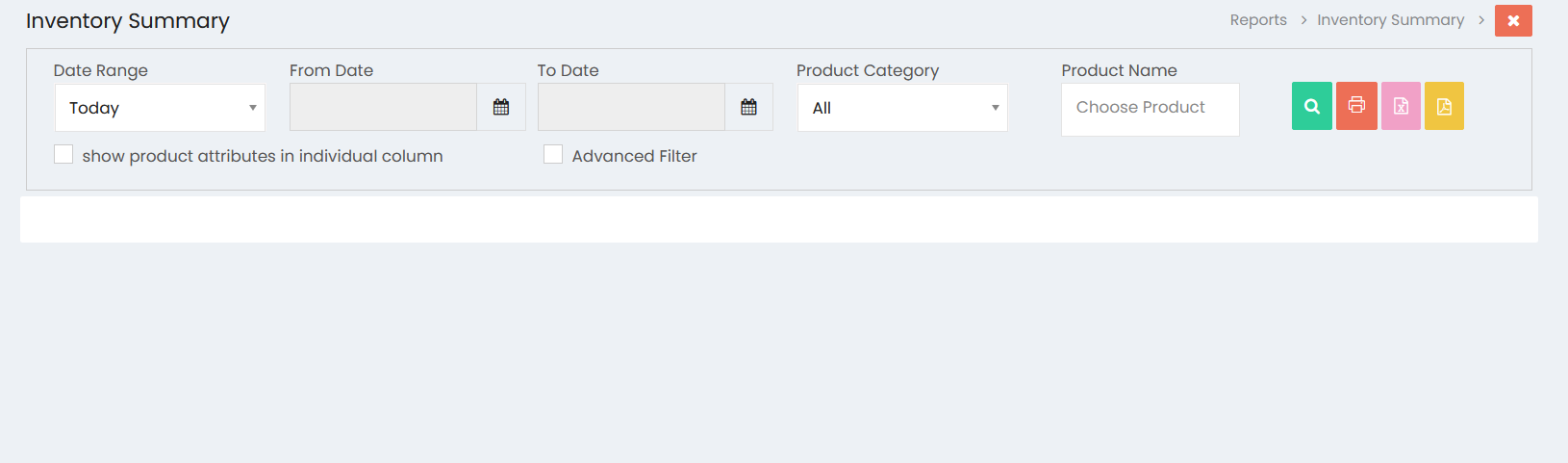
After applying the required filters, the system displays the inventory summary for the selected products and date range.
The report provides a consolidated view of inventory information to support inventory monitoring and analysis.
Export and Print Options
The Inventory Summary provides options to generate or export the report:
- Print – Print the Inventory Summary report.
- Excel – Export the report to Excel format.
- PDF – Export the report to PDF format.