


Overview
The Purchases By Item report is used to view and analyze purchase transactions grouped by item for a selected date range. It provides a summary of the quantity purchased, purchase amount, and average cost for each item.
Purchase By Item Filters
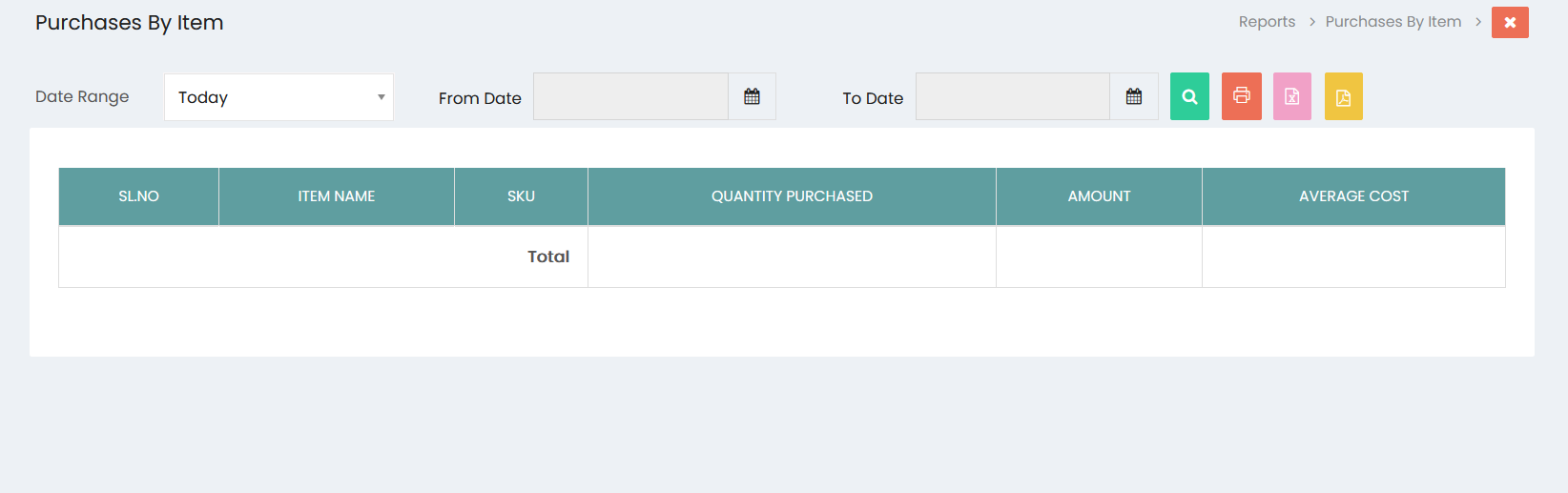
The report can be filtered using the following options:
- Date Range – Select a predefined date range for the report.
- From Date – Specify the starting date of the reporting period.
- To Date – Specify the ending date of the reporting period.
Click the Search button to generate the report based on the selected date range.
Purchase Details
The report displays the following information:
- SL.NO – Serial number of the item record.
- Item Name – Name of the purchased item.
- SKU – Stock Keeping Unit associated with the item.
- Quantity Purchased – Total quantity purchased for the item.
- Amount – Total purchase amount for the item.
- Average Cost – Average purchase cost of the item.
Total
The Total row displays the overall purchase quantity and amount for all items included in the selected date range.
Export and Print Options
The Purchases By Item report provides options to generate or export the report:
- Print – Print the Purchases By Item report.
- Excel – Export the report to Excel format.
- PDF – Export the report to PDF format.