


Overview
The Goods Received Notes report is used to view and track goods received from vendors. It provides details of the Goods Received Note, receiving date, vendor, reference transaction, warehouse, and related notes.
Goods Received Notes Filters
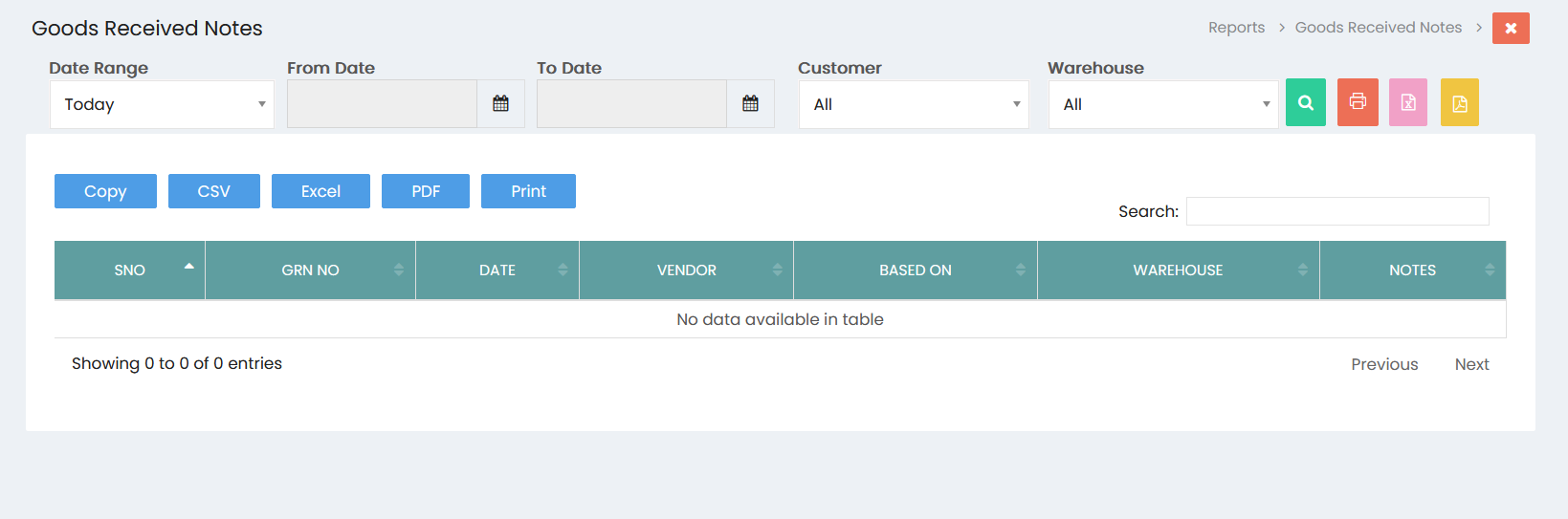
The report can be filtered using the following options:
- Date Range – Select a predefined date range for the report.
- From Date – Specify the starting date of the reporting period.
- To Date – Specify the ending date of the reporting period.
- Customer – Select a specific customer or choose All.
- Warehouse – Select a specific warehouse or choose All.
Click the Search button to generate the report based on the selected filters.
Goods Received Note Details
The report displays the following information:
- S.No – Serial number of the Goods Received Note.
- GRN No – Goods Received Note reference number.
- Date – Date on which the goods were received.
- Vendor – Vendor associated with the received goods.
- Based On – Reference transaction on which the Goods Received Note is based.
- Warehouse – Warehouse where the goods were received.
- Notes – Additional information recorded for the Goods Received Note.
Search
Use the Search field to quickly locate a specific Goods Received Note or related record within the displayed results.
Export and Print Options
The Goods Received Notes report provides options to generate or export the report:
- Copy – Copy the displayed report data.
- CSV – Export the report in CSV format.
- Excel – Export the report to Excel format.
- PDF – Export the report to PDF format.
- Print – Print the Goods Received Notes report.