


Dashboard components can be resized or removed using the widget options menu.
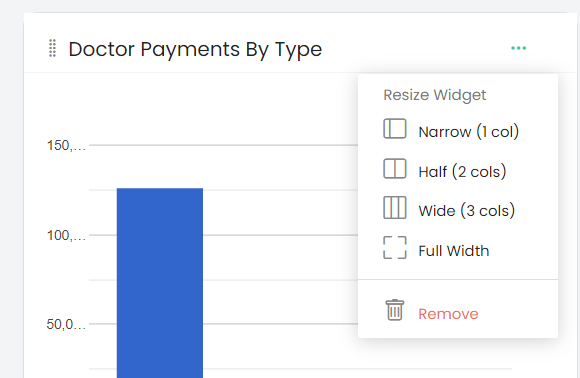
Click the three-dot menu on a widget to open the available options.
Resize Widget
The Resize Widget section provides the following options:
- Narrow (1 col) – Resizes the widget to one column.
- Half (2 cols) – Resizes the widget to two columns.
- Wide (3 cols) – Resizes the widget to three columns.
- Full Width – Resizes the widget to full width.
Remove
Click Remove to remove the selected widget from the dashboard.