


The dataset results page displays the data generated from the selected dataset in a tabular format.
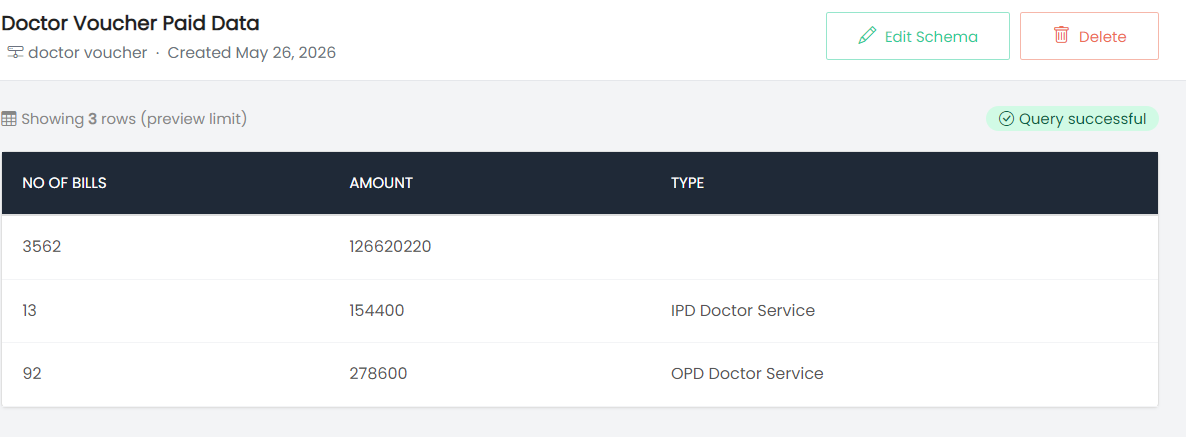
The page includes:
- Dataset Name – Displays the name of the selected dataset.
- Data Source – Displays the data source associated with the dataset.
- Created Date – Displays the date on which the dataset was created.
- Edit Schema – Allows the dataset schema to be edited.
- Delete – Provides an option to delete the dataset.
- Row Count – Displays the number of rows available in the preview.
- Query Status – Displays the status of the dataset query. A Query successful message indicates that the query was successfully executed.
The results are displayed in a table with columns based on the dataset configuration. For example, the displayed columns can include NO OF BILLS, AMOUNT, and TYPE.