


The Sync Schedule option defines the synchronization schedule for a data source in Skynyx BI.
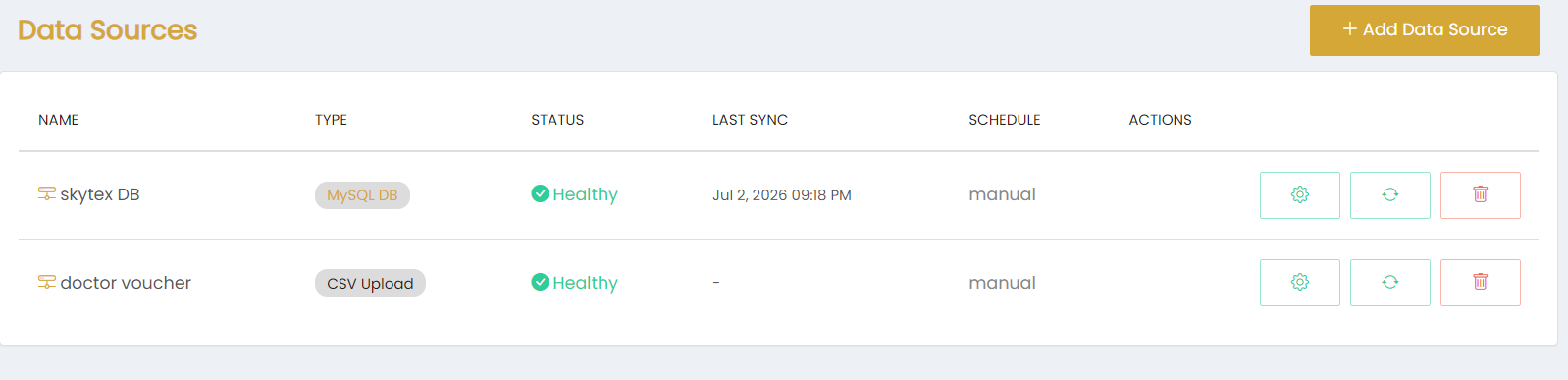
The synchronization schedule is displayed in the Schedule column of the Data Sources list. The available schedule shown for the configured data sources is manual.
For data sources configured with manual synchronization, the synchronization can be triggered using the Sync action available in the Actions column.
The Last Sync column displays the date and time of the most recent synchronization. When no synchronization time is available, a dash (-) is displayed.