


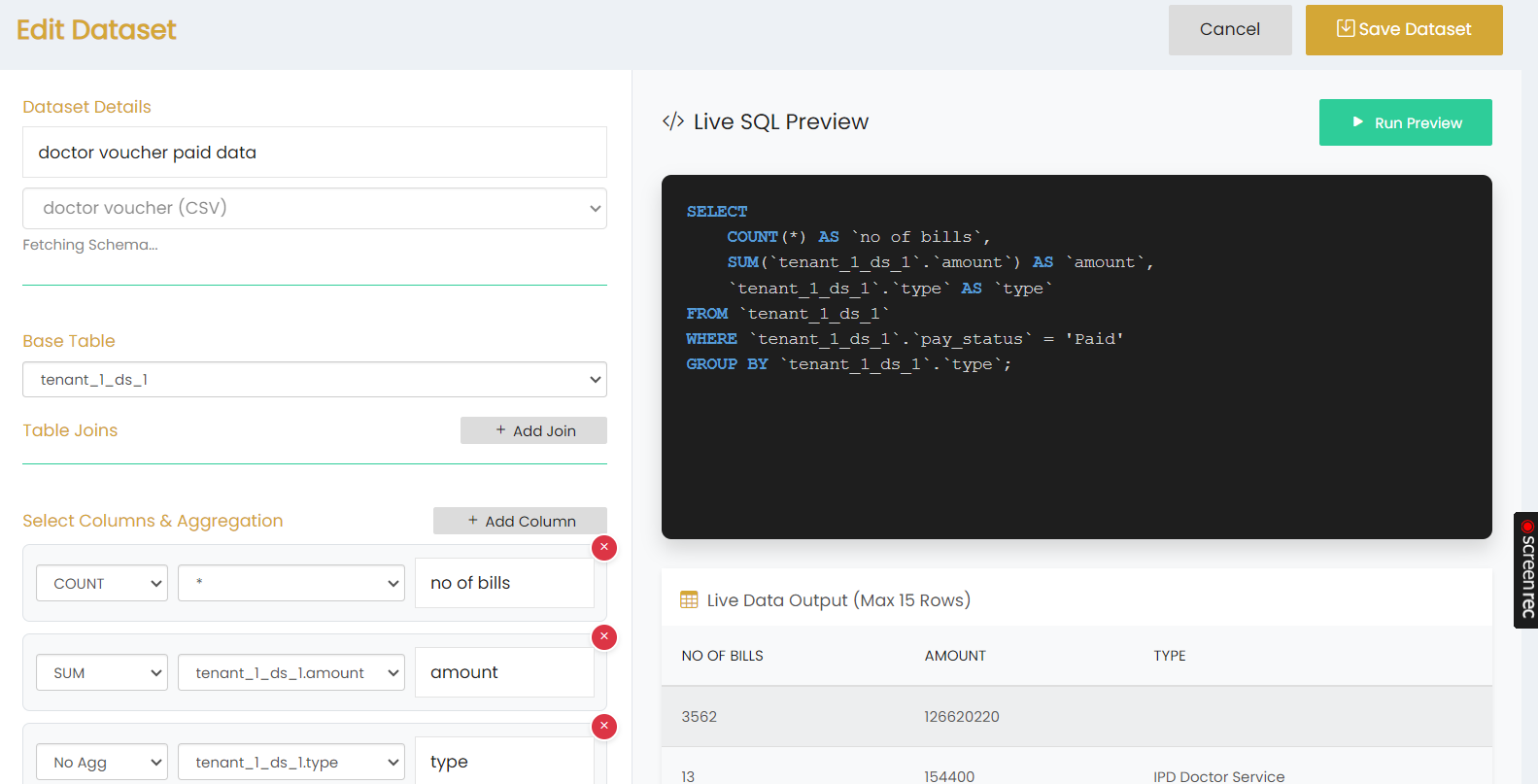
The Edit Dataset page allows users to modify the configuration of an existing dataset.
Dataset Details
The dataset name is displayed in the Dataset Details section. The associated data source is also displayed.
Base Table
The selected Base Table is displayed and can be configured as part of the dataset.
Table Joins
The Table Joins section allows users to add or modify table joins using the + Add Join option.
Select Columns & Aggregation
The Select Columns & Aggregation section displays the configured columns, aggregation options, and aliases. Users can add additional columns using + Add Column.
Live SQL Preview
The Live SQL Preview displays the SQL query generated from the dataset configuration.
Click Run Preview to execute the query and view the Live Data Output.
Save Dataset
Click Save Dataset to save the updated dataset configuration.
Click Cancel to exit the editing page without saving the changes.