


The Add New Data Source page allows users to add a CSV file as a data source in Skynyx BI.
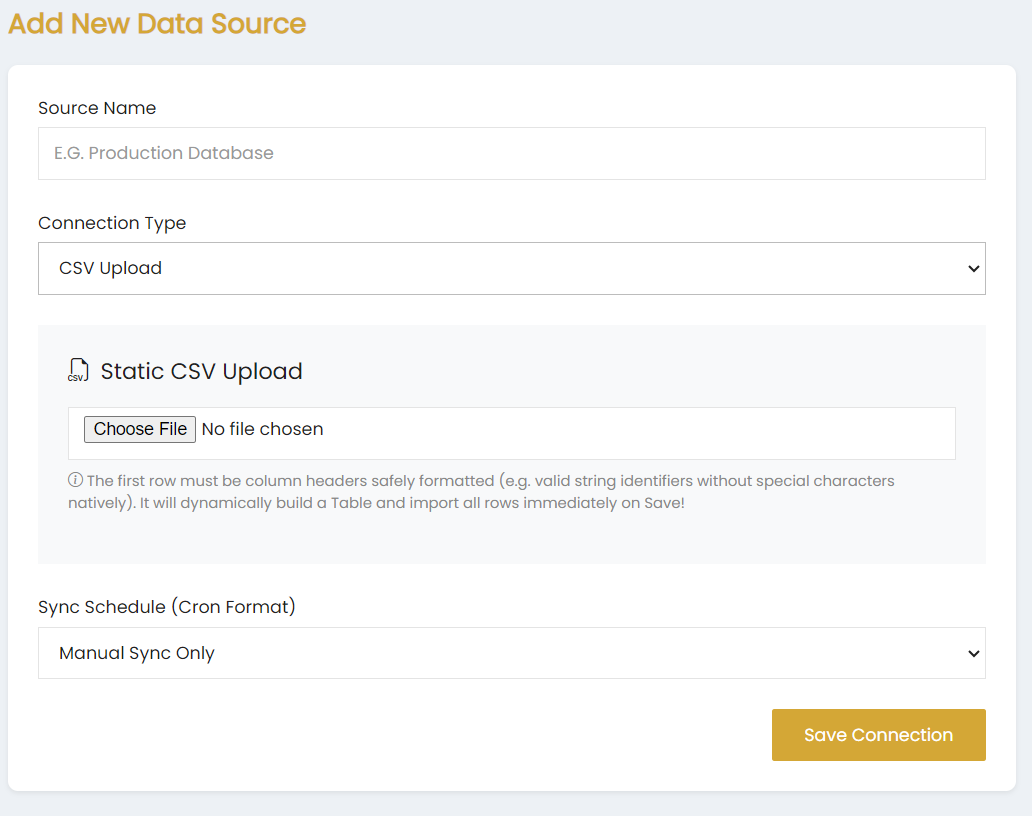
Source Name
Enter the name of the data source in the Source Name field.
Connection Type
Select CSV Upload from the Connection Type dropdown.
Static CSV Upload
The Static CSV Upload section allows users to select a CSV file using the Choose File option.
The first row of the CSV file must contain properly formatted column headers. The uploaded CSV file is used to dynamically build a table and is imported when the connection is saved.
Sync Schedule
Select the required synchronization option from the Sync Schedule (Cron Format) dropdown. The available selection shown is Manual Sync Only.
Save Connection
Click Save Connection to save the CSV data source.