


The Table Joins section in the Query Builder allows users to combine data from the selected base table with another table.
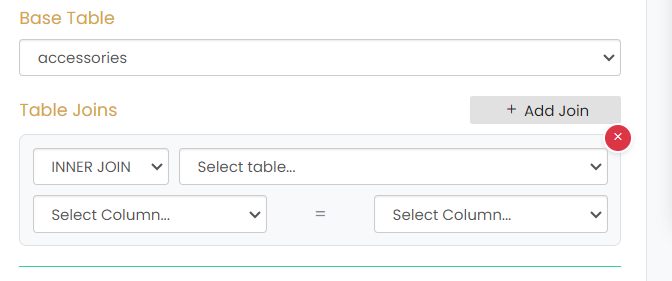
Click + Add Join to add a table join.
The join configuration includes the following options:
- Join Type – Select the required join type. The available option shown is INNER JOIN.
- Select Table – Select the table to be joined with the base table.
- Select Column – Select the column from the base table for the join condition.
- Select Column – Select the corresponding column from the selected table.
The selected columns are compared using the = operator to define the join condition.
The X button can be used to remove the added table join.