


The Query Builder allows users to create a dataset by selecting a data source, choosing a base table, adding table joins, and selecting columns and aggregations.
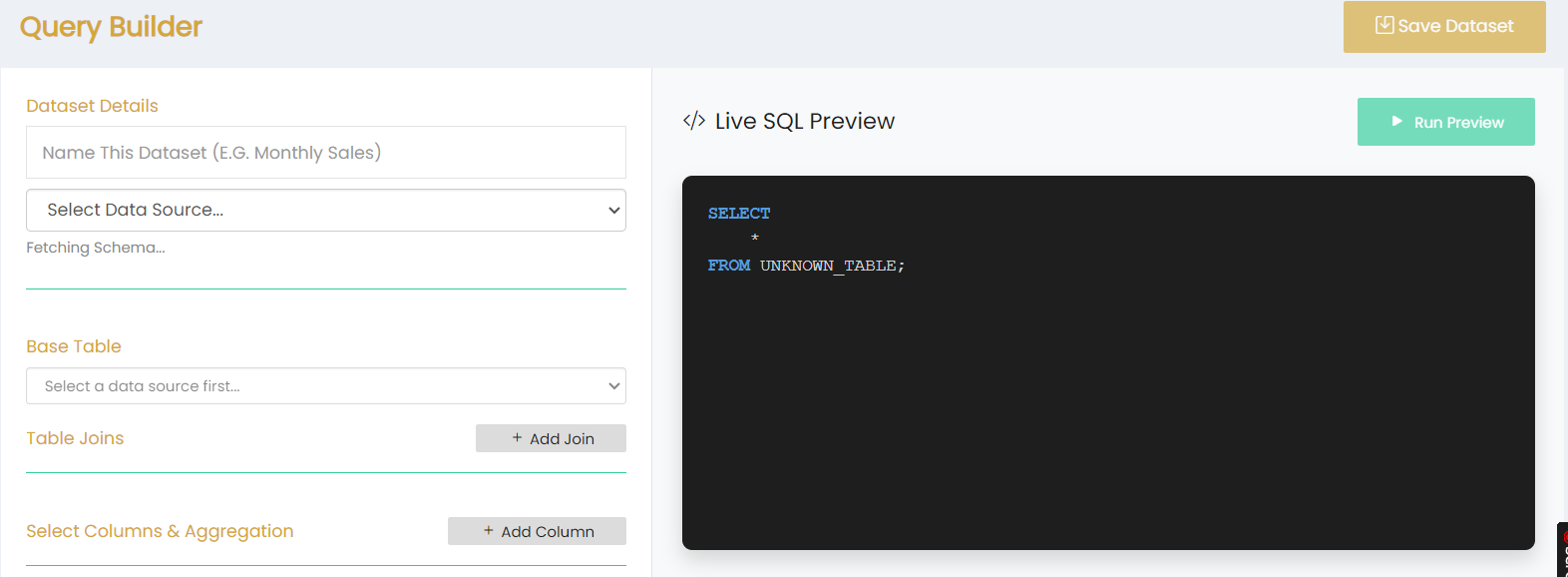
Dataset Details
- Name This Dataset – Enter a name for the dataset.
- Select Data Source – Select the required data source. The schema is fetched based on the selected data source.
Base Table
Select the required base table from the available tables for the selected data source.
Table Joins
The Table Joins section allows users to add table joins using the + Add Join option.
Select Columns & Aggregation
The Select Columns & Aggregation section allows users to add columns using the + Add Column option.
Live SQL Preview
The Live SQL Preview section displays the SQL query generated based on the selected dataset configuration.
Click Run Preview to run the query preview.
Save Dataset
Click Save Dataset to save the configured dataset.