


The Where Conditions section in the Query Builder allows users to define conditions for filtering the data returned by the dataset query.
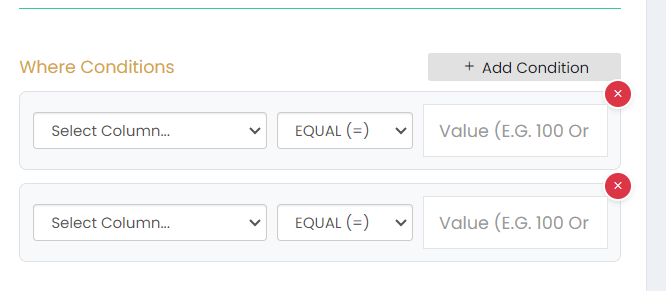
Click + Add Condition to add a WHERE condition.
Each condition includes:
- Select Column – Select the column to which the condition will be applied.
- Operator – Select the required comparison operator. The option shown is EQUAL (=).
- Value – Enter the value to be used for the selected condition.
Multiple WHERE conditions can be added using the + Add Condition option.
The X button can be used to remove an added condition.