


The Skynyx Sales navigation menu provides access to the main modules of the application. The menu is available on the left side of the screen.
Navigation Menu
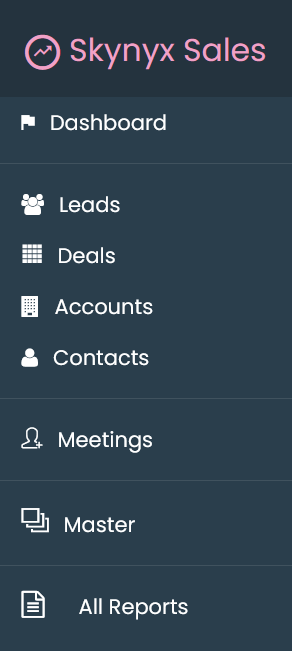
The following modules are available in the navigation menu:
Dashboard
Opens the Dashboard, where sales information and dashboard widgets are displayed.
Leads
Provides access to the Leads module for managing lead-related information.
Deals
Provides access to the Deals module for managing deal-related information.
Accounts
Provides access to the Accounts module for managing account information.
Contacts
Provides access to the Contacts module for managing contact information.
Meetings
Provides access to the Meetings module for managing meeting-related information.
Master
Provides access to the Master section for managing master information used within the application.
All Reports
Provides access to the All Reports section for viewing available reports.
Navigation Structure
The left navigation menu provides the following structure:
| Menu | Purpose |
|---|---|
| Dashboard | Access the sales dashboard |
| Leads | Manage leads |
| Deals | Manage deals |
| Accounts | Manage accounts |
| Contacts | Manage contacts |
| Meetings | Manage meetings |
| Master | Access master information |
| All Reports | Access available reports |