


The Master List section is used to create and manage predefined values used throughout the system. It allows users to select a master category and add the corresponding values that can be used in relevant transactions and master data.
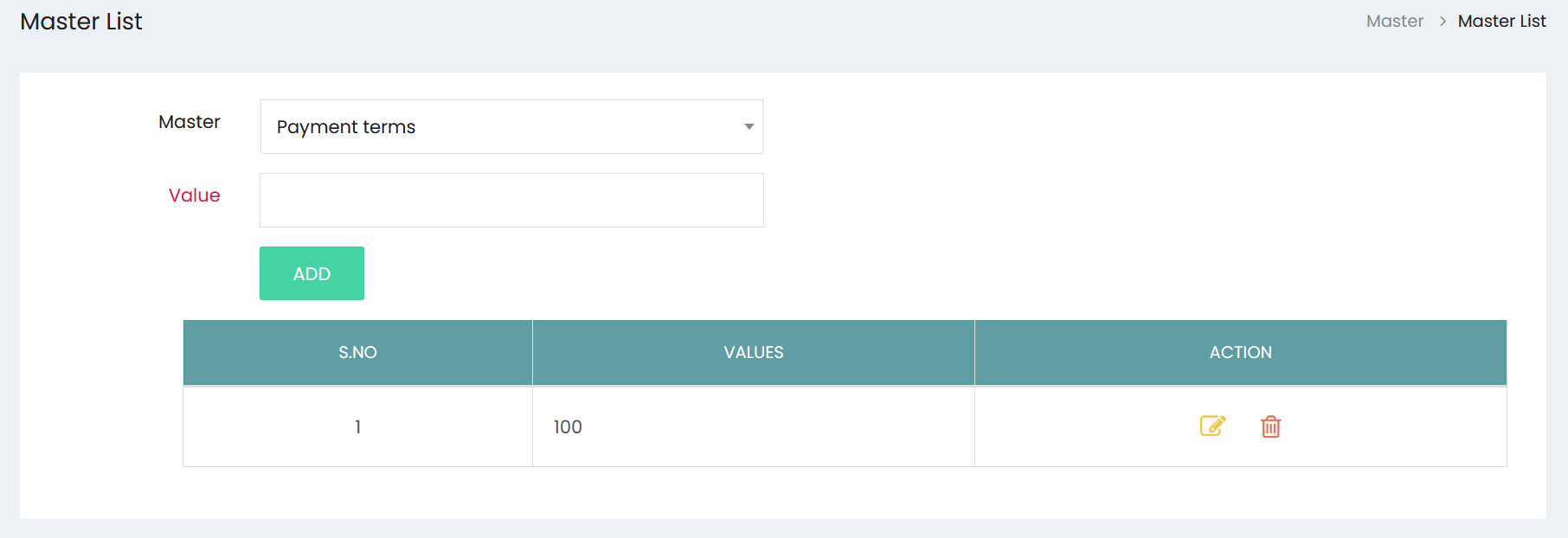
Selecting a Master
Select the required category from the Master dropdown. The available master categories can be selected from the dropdown list, such as Payment Terms.
Adding a Value
After selecting the required master category:
- Enter the required value in the Value field.
- Select ADD to save the value.
- The newly added value will appear in the values list.
For example, when Payment Terms is selected, values such as payment periods or conditions can be added for use in applicable transactions.
Managing Values
The values list displays:
- S.No – Serial number of the value.
- Values – The value added under the selected master category.
- Action – Options for managing the value.
Use the Edit option to modify an existing value and the Delete option to remove a value when required.
Master List values can be maintained for different categories and are available for selection in the corresponding areas of the system.