


The Product & Services section is used to create and maintain products and services that are used throughout the system. Users can define basic product information, attributes, pricing, accounting details, and GST information.
Product & Services List
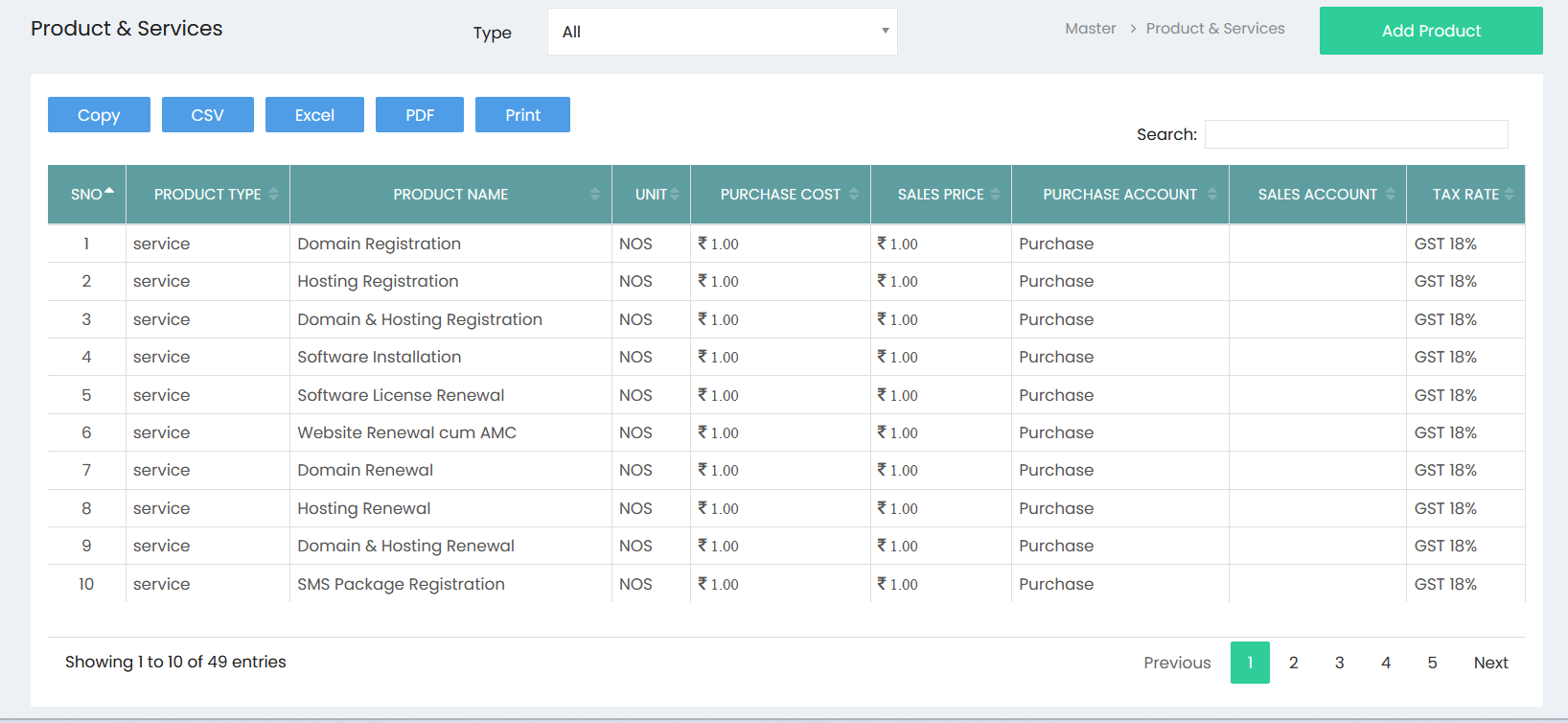
The Product & Services list displays all products and services available in the system.
The list includes:
- Product Type – Identifies whether the item is a Goods or Service.
- Product Name – Name of the product or service.
- Unit – Unit of measurement used for the product.
- Purchase Cost – Cost at which the product is purchased.
- Sales Price – Selling price of the product or service.
- Purchase Account – Account used for purchase transactions.
- Sales Account – Account used for sales transactions.
- Tax Rate – GST/tax rate applicable to the product or service.
Use the Type filter to display specific product types. The Search field can be used to quickly locate a product or service.
The Copy, CSV, Excel, PDF, and Print options can be used to export or print the displayed product list.
Creating a Product or Service
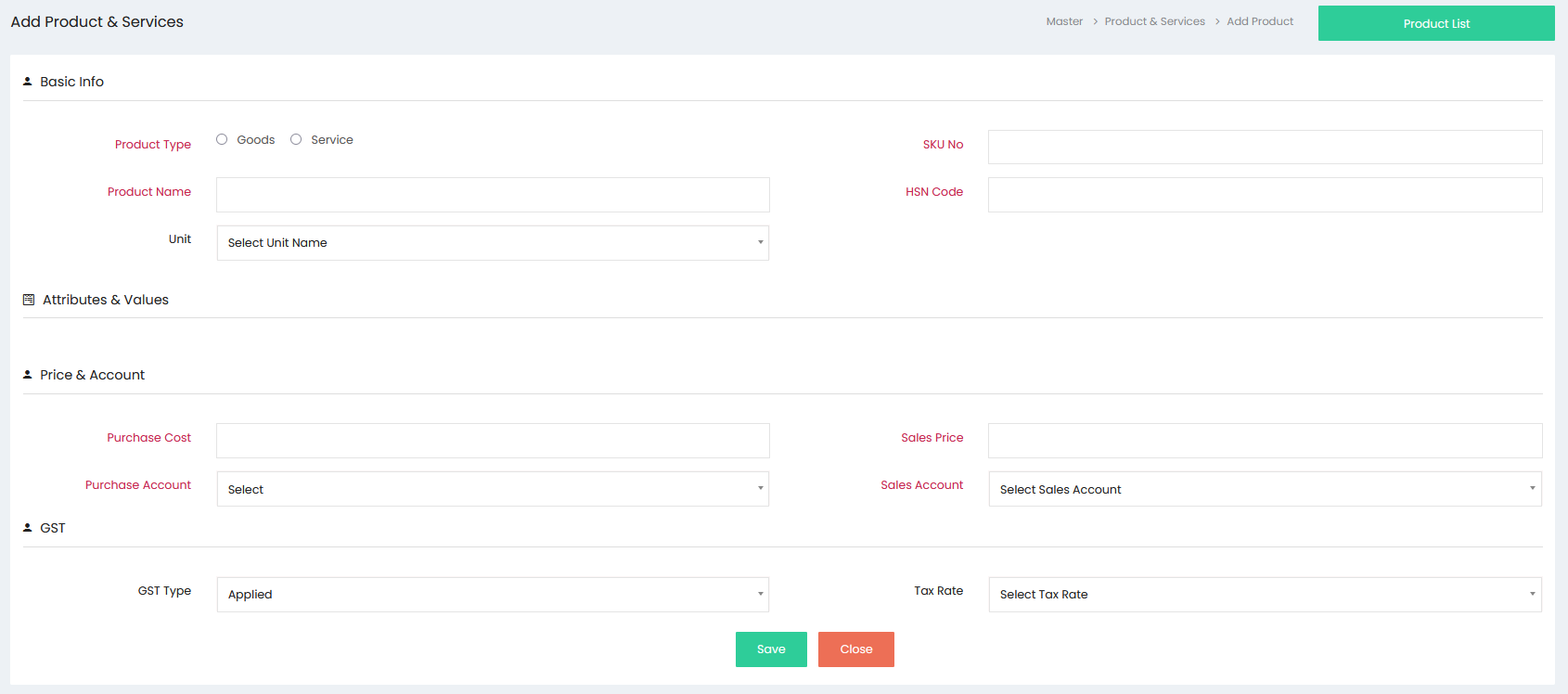
Select Add Product from the Product & Services list to open the creation screen.
Basic Info
Enter the basic details of the product or service:
- Product Type – Select Goods or Service.
- Product Name – Enter the name of the product or service.
- Unit – Select the appropriate unit of measurement.
- SKU No – Enter the stock keeping unit/reference number.
- HSN Code – Enter the applicable HSN code.
Attributes & Values
The Attributes & Values section allows attributes configured in the system to be associated with the product. These attributes can be used to define product characteristics such as size, colour, or type.
Price & Account
Enter the pricing and accounting information:
- Purchase Cost – Enter the purchase cost.
- Sales Price – Enter the selling price.
- Purchase Account – Select the applicable purchase account.
- Sales Account – Select the applicable sales account.
GST
Enter the applicable GST information:
- GST Type – Select the appropriate GST type.
- Tax Rate – Select the applicable tax rate.
Saving the Product or Service
After entering the required information, select Save to create the product or service. The newly created product or service will be available in the Product & Services list and can be used in purchase, sales, inventory, and other relevant transactions.