


The Lead Reports section provides a summarized view of leads based on their current stage and selected filtering criteria. It helps users analyze the lead pipeline and monitor lead distribution across different stages.
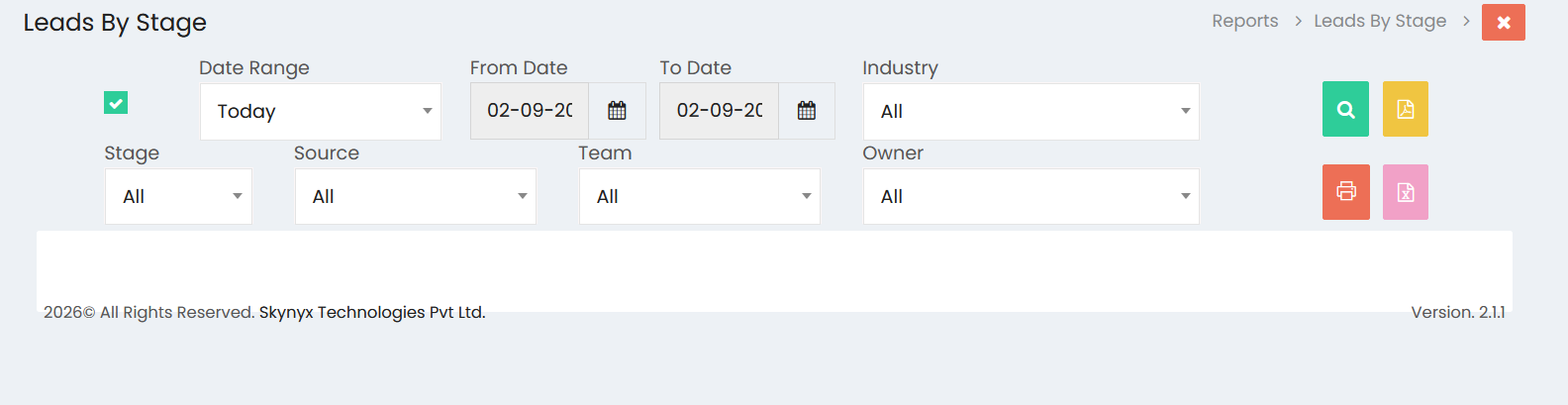
Date Range
The Date Range section allows users to define the period for which lead information should be included in the report.
- Date Range – Select a predefined period such as Today.
- From Date – Select the starting date.
- To Date – Select the ending date.
Lead Filters
The report can be filtered using the available lead-related fields:
- Industry – Select an industry to view leads associated with a specific industry.
- Stage – Select a lead stage to filter leads based on their current status.
- Source – Select the source from which the leads were generated.
- Team – Select the sales team associated with the leads.
- Owner – Select the user responsible for managing the leads.
Selecting All in a filter displays lead information across all available values for that field.
Viewing Lead Reports
After selecting the required date range and filters, click the Search button to generate the report. The report provides a focused view of leads based on the selected criteria and their corresponding stages.
Lead Stage Analysis
The Lead Reports section helps users review how leads are distributed across different stages of the sales process. This provides visibility into lead progression and helps identify the current status of sales opportunities.
Exporting Lead Reports
The report provides options to export and print the displayed information. Users can generate the report in available formats such as PDF and Excel, or use the Print option for a printable copy.
Lead Report Management
The Lead Reports section helps sales teams and management monitor lead activity, analyze lead stages, review lead sources, and evaluate lead distribution by industry, team, and owner.