


The Accounts section allows users to create and maintain records for customers, organizations, and other business entities. Account information includes basic company details, contact information, billing and shipping addresses, and additional descriptions.
Adding a New Account
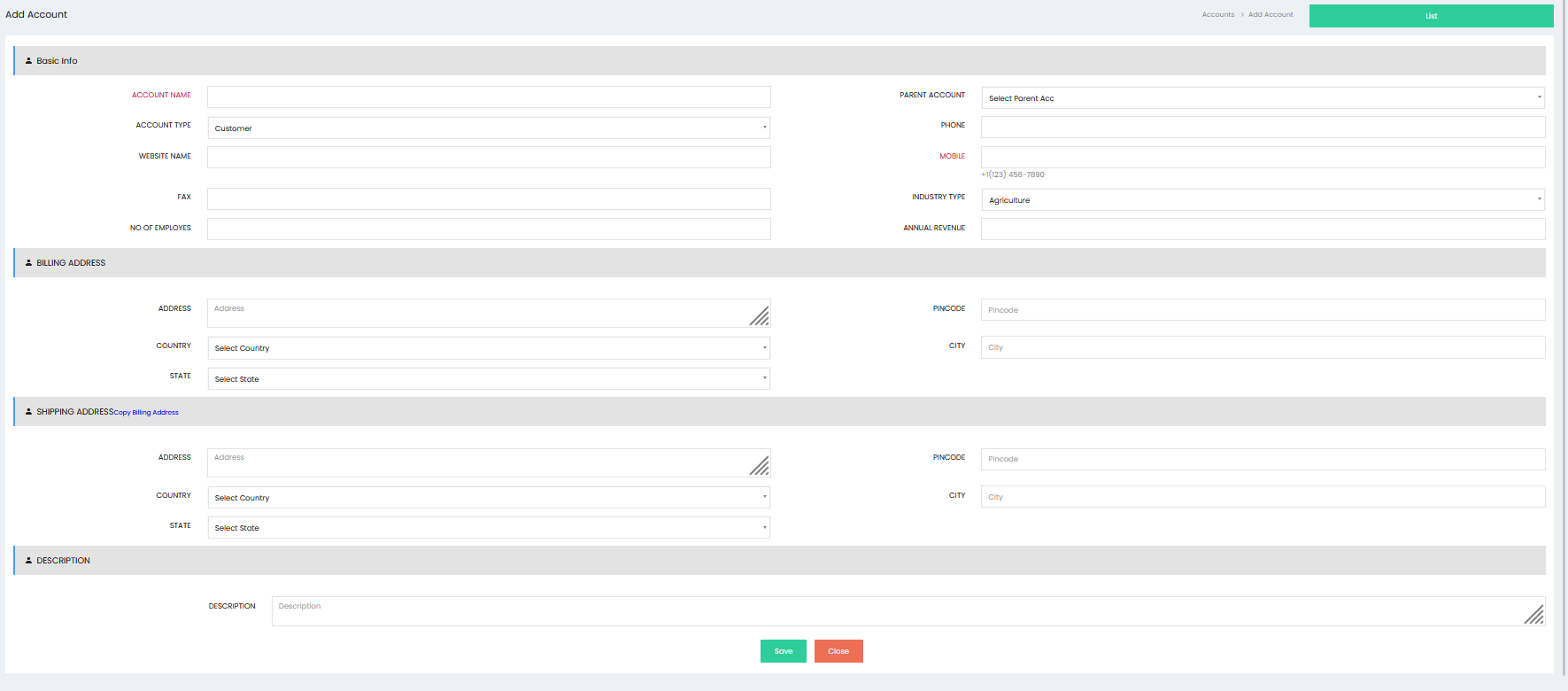
Click Add Account to open the account creation screen.
Basic Info
Enter the primary information of the account.
- Account Name – Enter the name of the customer or organization.
- Parent Account – Select the parent account, if applicable.
- Account Type – Select the appropriate account type.
- Phone – Enter the account’s telephone number.
- Website Name – Enter the company website.
- Mobile – Enter the account’s mobile contact number.
- Fax – Enter the fax number, if applicable.
- Industry Type – Select the relevant industry.
- No. of Employees – Enter the number of employees in the organization.
- Annual Revenue – Enter the annual revenue of the account.
Billing Address
Enter the billing address details of the account.
- Address – Enter the complete billing address.
- Country – Select the country.
- State – Select the state.
- City – Enter the city.
- Pincode – Enter the postal or ZIP code.
Shipping Address
Enter the shipping address details.
- Address – Enter the complete shipping address.
- Country – Select the country.
- State – Select the state.
- City – Enter the city.
- Pincode – Enter the postal or ZIP code.
The Copy Billing Address option can be used to copy the billing address details into the shipping address fields.
Description
Enter any additional information related to the account in the Description field. This can include notes or other relevant account details.
Saving the Account
After entering the required information, click Save to create the account. The newly created account is added to the Accounts list.
Click Close to exit the account creation screen without saving.
Accounts List
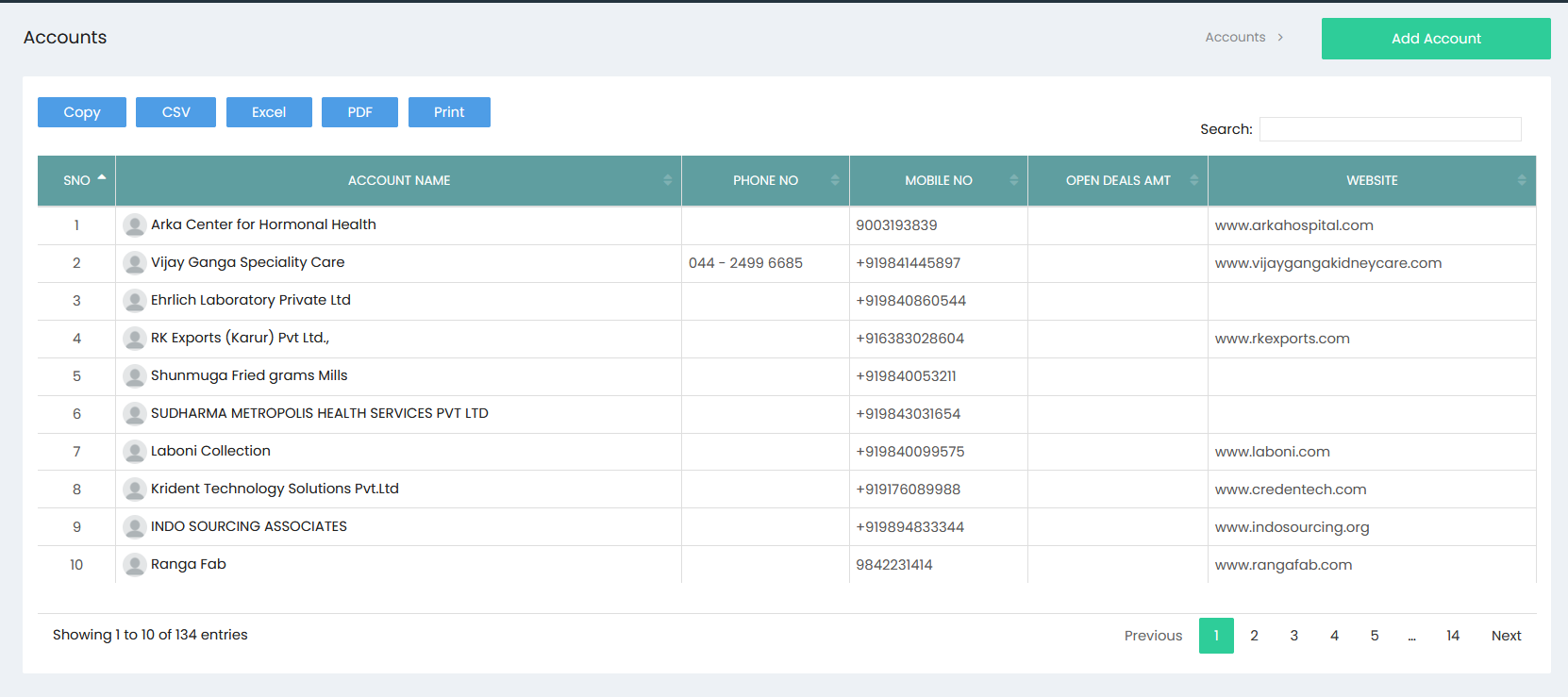
The Accounts list displays the available account records along with key information such as:
- S.No – Displays the sequential number of the account.
- Account Name – Displays the name of the account.
- Phone No – Displays the account telephone number.
- Mobile No – Displays the account mobile number.
- Open Deals Amt – Displays the value of open deals associated with the account.
- Website – Displays the website associated with the account.
The Search field can be used to locate a specific account. The Copy, CSV, Excel, PDF, and Print options are available for exporting or printing account information.
Pagination controls allow users to navigate through multiple pages of account records.