


Skynyx Sales is a sales management application that provides a centralized dashboard for monitoring sales activities, enquiries, accounts, contacts, deals, and related sales information.
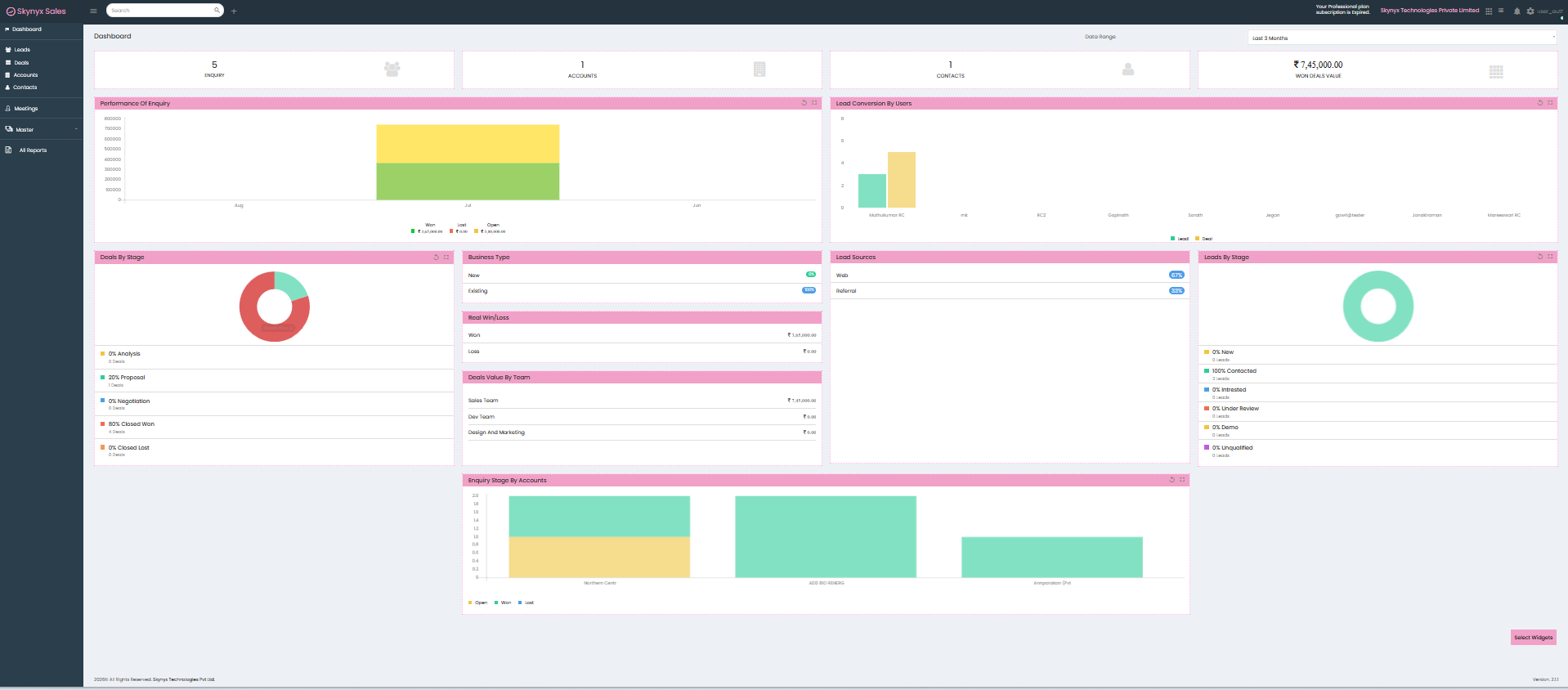
The application provides a dashboard view with key sales indicators, performance charts, and analytical widgets to help users monitor sales activity.
Dashboard
The Dashboard is the main screen of Skynyx Sales. It provides an overview of important sales information for the selected date range.
The dashboard includes:
- Enquiry count
- Accounts count
- Contacts count
- Won Deals Value
- Performance of Enquiry
- Lead Conversion by Users
- Deals by Stage
- Business Type
- Real Win/Loss
- Deals Value By Team
- Lead Sources
- Leads By Stage
- Enquiry Stage By Accounts
The Date Range option at the top-right allows the dashboard data to be viewed for the selected period.
Key Dashboard Indicators
Enquiry
Displays the number of enquiries recorded for the selected date range.
Accounts
Displays the number of accounts available within the selected dashboard period.
Contacts
Displays the number of contacts available within the selected dashboard period.
Won Deals Value
Displays the total value of won deals for the selected date range.
Dashboard Widgets
Performance of Enquiry
Displays enquiry performance using a graphical representation of enquiry stages such as:
- Won
- Lost
- Open
Lead Conversion by Users
Displays lead-related activity by user and provides a graphical comparison of lead and deal information.
Deals by Stage
Displays the distribution of deals across different stages, including:
- Analysis
- Proposal
- Negotiation
- Closed Won
- Closed Lost
Business Type
Displays business information based on business type, such as:
- New
- Existing
Real Win/Loss
Displays the value of won and lost deals.
Deals Value By Team
Displays deal values based on the sales teams shown on the dashboard.
Lead Sources
Displays the sources from which leads are generated, such as:
- Web
- Referral
Leads By Stage
Displays the distribution of leads across different stages, including:
- New
- Contacted
- Interested
- Under Review
- Demo
- Unqualified
Enquiry Stage By Accounts
Displays enquiry stages across the accounts shown in the dashboard.
Main Navigation
The left-side navigation menu provides access to the main sections of Skynyx Sales:
- Dashboard – Provides an overview of sales information and dashboard widgets.
- Leads – Provides access to lead-related activities.
- Deals – Provides access to deal-related activities.
- Accounts – Provides access to account-related information.
- Contacts – Provides access to contact-related information.
- Meetings – Provides access to meeting-related activities.
- Master – Provides access to master information.
- All Reports – Provides access to available reports.
Top Navigation Bar
The top navigation bar provides quick access to commonly used options, including:
- Menu
- Search
- Quick access (+)
- Application information
- Company information
- Application icons
- Notifications
- Settings
- User account
Search
The Search field in the top navigation bar provides a quick way to search within the application.
Settings
The Settings option provides access to the available user settings, including:
- User & Roles
- Preferences
Dashboard Date Range
The Date Range selector allows users to select the period for which dashboard information is displayed. The dashboard widgets update according to the selected date range.