


The Lead Status & Qualification section allows users to view and manage leads according to their current stage in the sales process. Each status displays the number of leads currently assigned to that category.
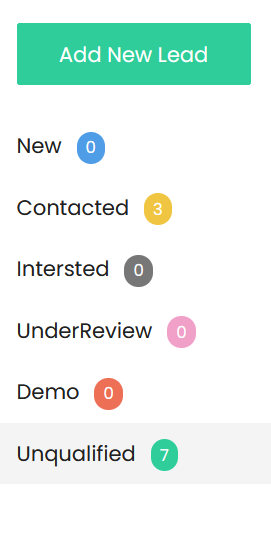
Lead Status Categories
- New – Displays newly created leads that have not yet been contacted or progressed through the sales process.
- Contacted – Displays leads that have been contacted by the sales team and are awaiting further interaction or follow-up.
- Interested – Displays leads who have expressed interest in the company’s products or services.
- Under Review – Displays leads that are being evaluated to determine their suitability and potential for further sales activity.
- Demo – Displays leads that have reached the product or service demonstration stage.
- Unqualified – Displays leads that do not currently meet the required qualification criteria or are not suitable for further sales activity.
Lead Count
A number displayed next to each status indicates the total number of leads currently available in that category. The count is automatically reflected based on the leads assigned to each status.
Lead Qualification
Lead qualification helps the sales team identify leads that have potential for conversion. Leads can be reviewed and progressed through the relevant status as their engagement and sales potential changes.
The status categories provide a quick overview of the lead pipeline and help users identify leads that require attention at each stage of the sales process