


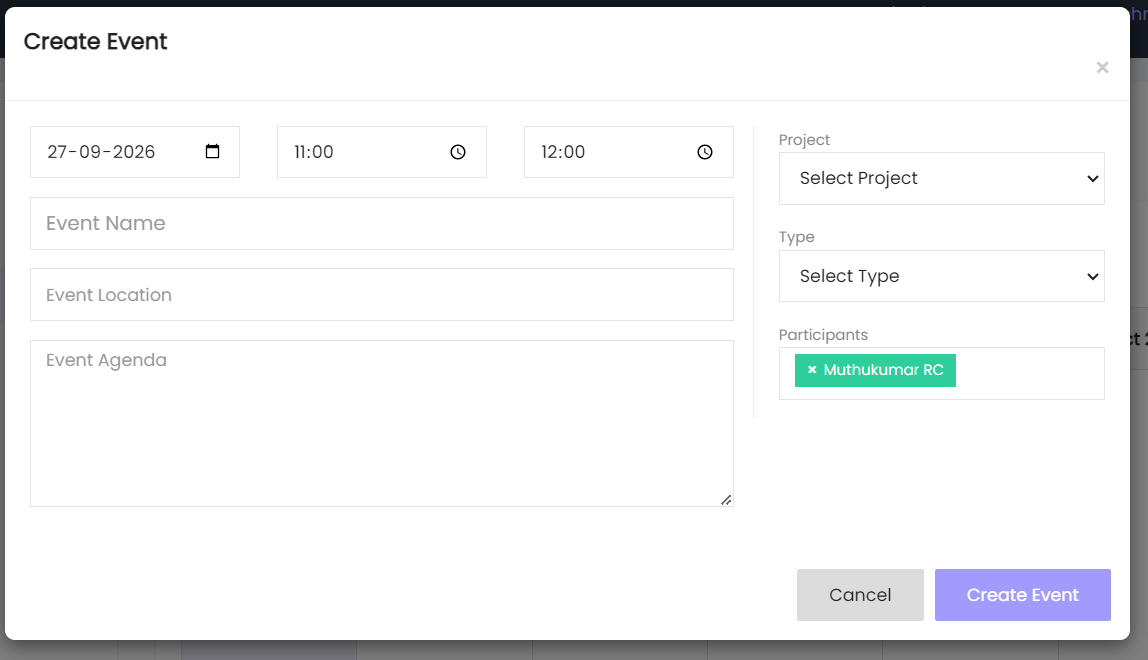
The Create Event section allows users to create a new event by entering the event details.
Date
Select the event date in the Date field.
Start Time
Select the event start time.
End Time
Select the event end time.
Project
Select the project associated with the event from the Project dropdown.
Event Name
Enter the name of the event in the Event Name field.
Event Location
Enter the location of the event in the Event Location field.
Event Agenda
Enter the event details or agenda in the Event Agenda field.
Type
Select the event type from the Type dropdown.
Participants
Select the participants for the event. Selected participants are displayed in the Participants field.
Create Event
Click Create Event to create the event.
Cancel
Click Cancel to close the form without creating the event.