


The Create Project section allows users to create a new project by entering the required project details.
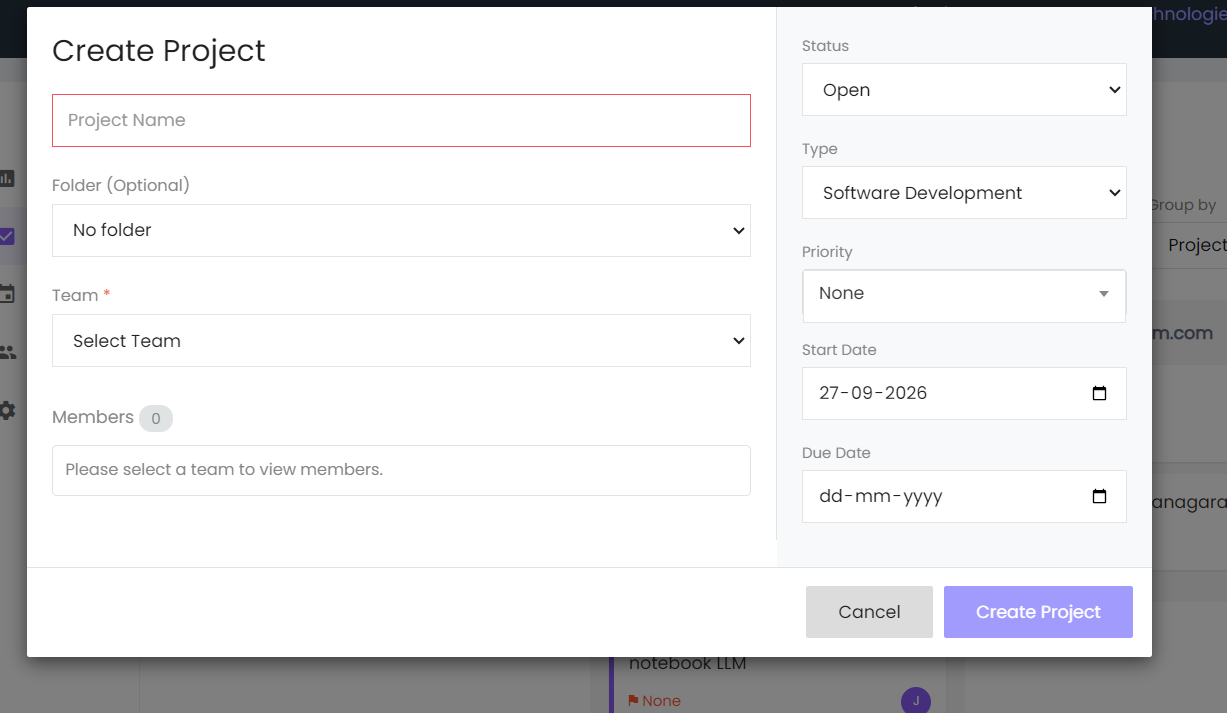
Project Name
Enter the name of the project in the Project Name field.
Folder
Select a folder from the Folder dropdown. This field is optional.
Team
Select a team from the Team dropdown.
Members
The Members section displays the members associated with the selected team.
Status
Select the project status from the Status dropdown.
Type
Select the project type from the Type dropdown.
Priority
Select the project priority from the Priority dropdown.
Start Date
Select the project start date using the Start Date field.
Due Date
Select the project due date using the Due Date field.
Create Project
Click Create Project to create the project.
Cancel
Click Cancel to close the project creation form without creating the project.