


The Task Views & Filters section provides options to view and organize tasks based on different criteria.
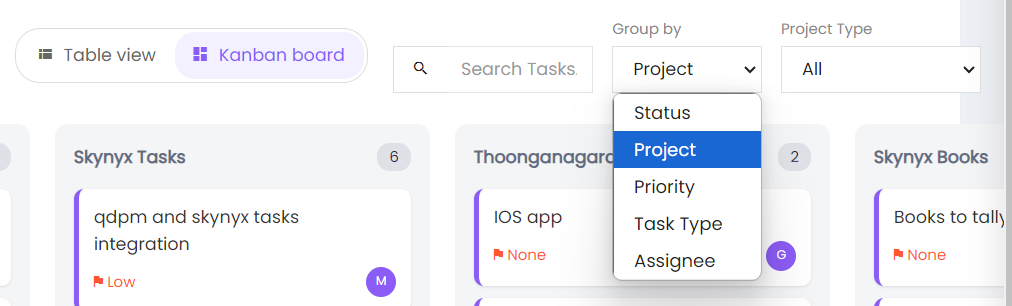
View Options
Users can switch between:
- Table View – Displays tasks in a table format.
- Kanban Board – Displays tasks as cards organized in columns.
Search Tasks
Use the Search Tasks field to search for specific tasks.
Group By
Tasks can be grouped by:
- Status
- Project
- Priority
- Task Type
- Assignee
Project Type
Use the Project Type dropdown to filter tasks by project type. The default option is All.